
Shipping
from 2€
from 2€

This is the video presentation of both machines:
We started to "gut" the Cricut Maker 3 , it's power, versatility and high performance. It cuts more than 300 materials, from the most delicate fabrics and paper to thick cardboard and is compatible with Smart Materials, you can quickly and easily cut runs of up to 3.6m, without the need for a cutting mat.
- Its design is very similar to the original machine with some small differences. This one is light blue, and at the moment, that's the only color available.

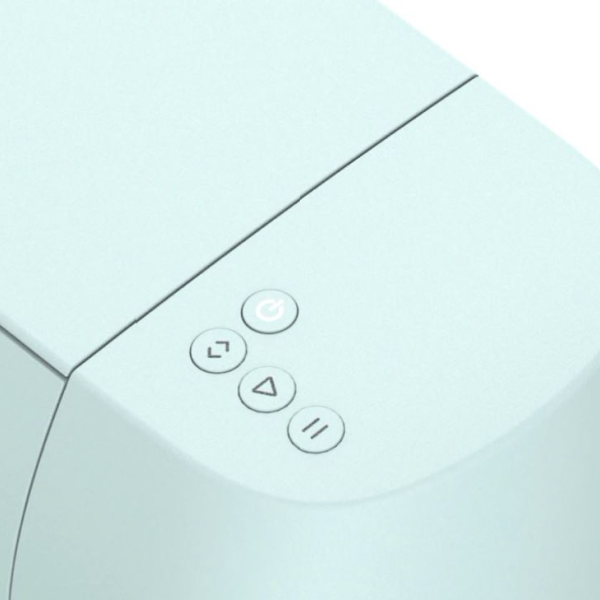
- besides the color, the biggest change on the outside are the buttons that have changed their appearance, the previous "Cricut C" button has now become a "Play" button and the functions of each button remain the same as the one of the current Cricut Maker

- once opened we check that the carriage remains the same, which means that it will accept all the blades and accessories of the current Maker machine (something that seems very important to us)

- the new feature, and for which many of us are already going crazy, is the ability to cut up to 3.6 m without a mat in one go thanks to the Smart Materials, which includes vinyl, thermo-adhesive vinyl and adhesive cardstock of paper.

This feature is common between the Cricut Maker 3 and the Cricut Explore 3 and it is possible thanks to the guides as well as the sensors in the machine itself that help to align the material and also make sure that there is enough material to make the cut.

Note and Recommendations:
The maximum width when cutting without the mat remains the same as when cutting with it, it is 11.75” (29.21 cm) .
The 3.65m length is only recommended for Smart Vinyl. A maximum length of 1.2 m is recommended for iron-on and the paper adhesive cardstock only comes in 13" x 13" (33.02 cm) pieces at this time, so longer cuts will not be available.
The box includes:
As for the Cricut Explore 3 . You can cut, draw, score and much more with incredible speed and precision Compatible with Cricut Smart Materials, to make cuts up to 12' without the need for a cutting mat.
- the design is similar to the original machine with some differences such as color. This machine is mint green and that is the only color available at the moment.

- This tool has undergone several external changes that are obvious at first glance. One is the buttons that have changed their appearance, the previous "Cricut C" button has now become a "Play" button and the functions of each button remain the same as the current Cricut Maker
- the other side of the machine has also changed, they have removed the wheel and now there is a practical tool holder and an opening button that will open the lid of the machine.

- once opened we check that the carriage remains the same, which means that it will accept all the blades and accessories of the current Explore machine (something that seems very important to us)

- Like the Cricut Maker 3 , the new feature is the ability to cut up to 12' without a mat in one go thanks to Smart Materials, which includes vinyl, iron-on vinyl, and paper-adhesive cardstock.

Note and Recommendations:
The maximum width when cutting without the mat remains the same as when cutting with it, it is 11.75” (29.21 cm) .
The 3.65m length is only recommended for Smart Vinyl. A maximum length of 1.2 m is recommended for iron-on and the paper adhesive cardstock only comes in 13" x 13" (33.02 cm) pieces at this time, so longer cuts will not be available.
The box includes:
And lastly, I'm sure you're also wondering why the name changed from the previous one, the word "air" indicated the Bluetooth functionality and since it's already standard on all machines, it's no longer necessary to indicate it.
We hope we have helped you get to know them a little better!
Team Oh!naif
Leave a comment